Dec 22, 2025
Don't let a 1-star rating ruin your business. Learn expert restaurant reputation management strategies and get ready-to-use templates to handle bad reviews on Google professionally.
Estimated Reading Time: 8 mins
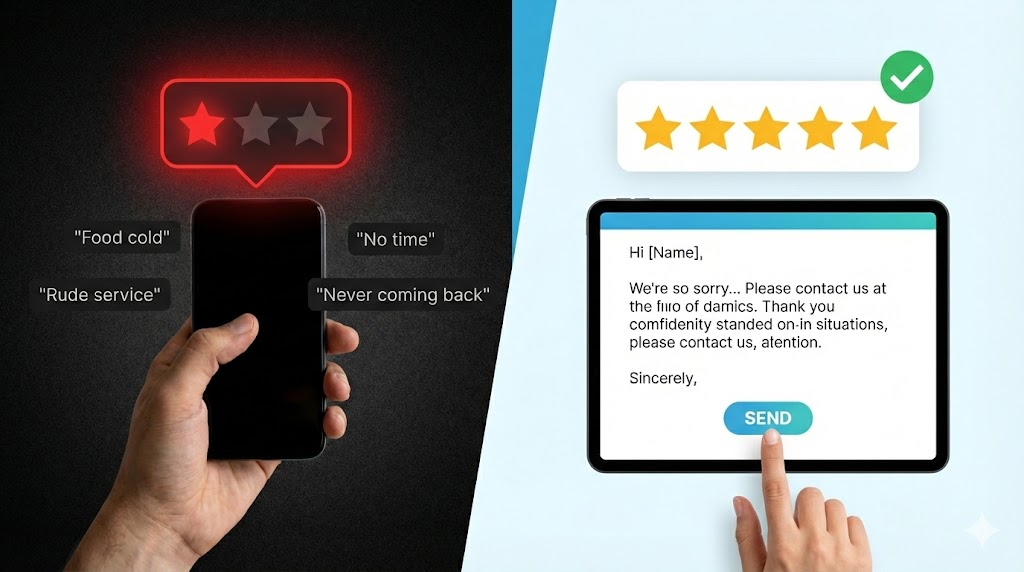
It’s the notification every independent restaurant owner dreads. Your phone buzzes, you see the Google icon, and your heart sinks: A new 1-star review.
“Food was cold. Server was rude. Never coming back.”
Your immediate reaction might be defensive. You work incredibly hard. Your staff is like family. That night was unusually busy, and maybe one dish slipped through the cracks, but "never coming back"? It feels personal.
Here is the hard truth: In 2025, your digital storefront is just as important as your physical one. A single negative review, left unanswered, is like leaving graffiti on your front door. It signals neglect to the hundreds of potential customers browsing online, deciding where to eat tonight.
Effective restaurant reputation management isn't about deleting bad reviews (you usually can't). It's about how you handle bad reviews publicly. A thoughtful response can turn a disgruntled customer into a second chance and show prospective guests that you care about their experience.
Here is Peppr’s guide to navigating the minefield of negative feedback, complete with templates you can use today.
Before we get to how to respond, let's establish why it’s non-negotiable.
Before typing, take a deep breath. Do not reply when angry. Step away from the screen for ten minutes. Once calm, follow these rules:
Aim to respond within 24-48 hours. A week-old complaint looks like you don't care. Speed shows you take feedback seriously.
Even if you think the customer is exaggerating, their perception was their reality. Do not argue ("Actually, the soup was hot..."). Instead, validate their feelings: "I’m so sorry to hear your soup wasn't served at the right temperature."
The goal is to move the conversation out of the public eye. Do not debate the specifics of the bill or staff behavior on Google Maps. Offer a direct email or phone number (e.g., a manager line, not the busy host stand) to discuss a resolution.
Don't write a novel. Be concise, apologize for the experience (even if not admitting fault), and offer the offline connection.
Let’s look at how to apply these rules to common restaurant scenarios.
The complaint: Slow service on a Friday night, cold food, or a messed-up order. Things that genuinely went wrong.
The Wrong Way: "We were short-staffed, and you ordered during the rush. Sorry it wasn't perfect, but we did our best." (Defensive, makes excuses).
The Peppr Way (Template):
"Hi [Customer Name], thank you for taking the time to share your feedback. I am genuinely sorry that your experience on Friday night did not meet our usual standards. Hearing that your meal arrived cold is disappointing, and I completely understand your frustration.
We take this seriously and will review this shift with our kitchen team to ensure it doesn’t happen again. I would love the chance to make this right. Please email me directly at [Manager Email] or call us at [Phone Number] and ask for [Manager Name] so we can discuss this further. We hope to have another opportunity to serve you better."
The complaint: A 1 or 2-star rating with little to no text. E.g., "Bad experience."
The Wrong Way: Ignoring it because there's nothing specific to address.
The Peppr Way (Template):
"Hello [Customer Name]. We are sorry to see that your recent visit didn't meet your expectations. We strive to provide a 5-star experience for every guest. Since there aren't many details here, we would appreciate hearing more about what went wrong so we can improve. Please feel free to reach out to us directly at [Manager Email/Phone] to share more details. Thank you."
The complaint: A customer upset about a policy (e.g., no substitutions on a specific dish), or someone you don't even recognize as a customer.
The Wrong Way: "You are lying, we never served you," or "Our policy is clearly stated on the menu, read it next time."
The Peppr Way (Template):
"Hi [Customer Name]. We take all feedback seriously, but we are having trouble locating a record of your visit based on the details provided. We pride ourselves on our service and food quality.
Regarding our policy on [mention policy briefly, e.g., substitutions], we do this to maintain the integrity and speed of service for all our guests, as noted on our menu. If you would like to discuss your specific experience further, please contact us directly at [Manager Email/Phone]. We wish you the best."
(Note: If a review violates Google’s content policies—like hate speech or a conflict of interest—you should also flag it to Google for removal through your Google Business Profile dashboard.)
Responding well is crucial damage control, but the best strategy is a good offense. You need to drown out the occasional negative review with a flood of positive ones.
This is where technology helps independent restaurants compete with the big chains.
1. Fix the Root Cause with Data:Often, bad reviews stem from operational issues. Are tickets getting lost in the kitchen causing long waits? An integrated Kitchen Display System (KDS) can streamline communication and reduce errors, stopping bad reviews before they happen.
2. Automate Review Generation:You shouldn't have to manually beg every happy customer to leave a review. A comprehensive marketing solution like Peppr Grow can automate this process. By integrating loyalty programs and email marketing, you can automatically prompt your happiest regulars—those who just ordered for the third time this month—to share their positive experiences on Google.
By systematically generating positive reviews, a stray 1-star review will have much less impact on your overall average rating.
Handling bad reviews is painful, emotionally draining work. But as an independent restaurant owner, it's part of protecting the business you built. By responding with empathy, speed, and professionalism using the templates above, you can turn a public negative into a demonstration of your commitment to your guests.
Don't let the fear of negative feedback paralyze you. Take control of the narrative, and equip your restaurant with the tools to build a sterling online reputation.
For more insights on growing your restaurant's digital presence, check out our guide on Top 5 Restaurant Website Benefits in 2026.

.avif)