Dec 2, 2025
POS systems for small restaurants: Essential features and tips to boost profits
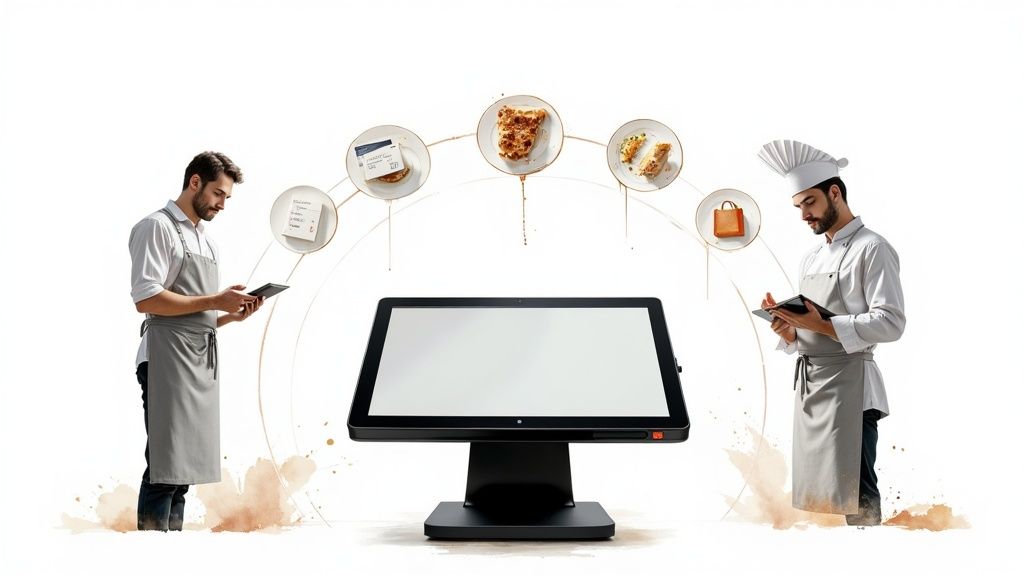
Running a small restaurant means you're the chef, manager, and accountant all at once. The last thing you need during a dinner rush is a clunky system that slows you down. A modern POS system for a small restaurant must be the central hub of your operation, working as hard as you do to turn tables and boost your bottom line.
Think of your best employee—always on time, never misses a detail, and knows what to do next. That’s what your Point of Sale (POS) system should be. It’s no longer just a digital cash register; it’s the command center that ties your front-of-house, back-of-house, and management tasks into one smooth workflow.
As an independent owner, you know every minute and dollar counts. You don’t have time to wrestle with tech that creates more problems than it solves. This guide cuts through the jargon to focus on what actually matters for your daily grind.
A great POS brings calm to the chaos of a busy service. It’s built to handle the unique pressures of a restaurant, from a slammed Friday night to a packed Tuesday lunch. Instead of just taking payments, it should actively help you run a smarter, more profitable business.
Here’s what that looks like in practice:
A system that pulls its weight also helps with tasks like staff scheduling. You can find smart ways to share shift schedules with restaurant staff without the usual headache. Think of this guide as your roadmap to choosing a system that delivers a real return on investment.
When shopping for a restaurant POS, it’s easy to get lost in feature lists. Tune out the noise and focus on what matters during a dinner rush. Forget the bells and whistles you’ll never use; these are the non-negotiables your restaurant needs to run smoothly.
The POS market is growing for a reason. Valued at $9.42 million in 2023, it's expected to reach $17.87 million by 2030. This isn't just about fancy tech; it's about survival. 78% of restaurant owners say credit card processing is the most critical function, showing how vital seamless payments are to the daily grind.
Your order screen is where your staff lives. It has to be fast, simple, and nearly impossible to mess up. A clunky interface leads to mistakes, voids, and wasted food—all things that chip away at your thin margins.
A solid system also gives you a bird's-eye view of your floor. Table management features let your host see which tables are open, which are about to turn, and how long parties have been seated, which is key to maximizing covers and quoting accurate wait times.
Nothing kills service momentum like a server running between a table and a stationary terminal. Handheld POS devices—tablets or smaller units—are no longer a luxury. They’re an efficiency engine, letting your team fire orders and take payments right at the table.
This one change can dramatically speed up your service flow. Mobile POS handhelds can accelerate service by 20%, which is huge for turning tables faster and keeping guests happy. That means more sales during your busiest hours and a better customer experience.
The kitchen is your restaurant's heart, and a KDS is the pacemaker that keeps it beating steadily. A KDS replaces paper tickets with a digital screen, bringing order to even the most chaotic line.
A KDS is your kitchen’s single source of truth. It eliminates lost tickets, messy handwriting, and arguments over what was fired when. Everything is timestamped, organized, and clear.
Orders appear on screen the instant a server enters them. Cooks see new orders, mods, and timers showing how long each ticket has been active. This helps them prioritize and sync timing across stations, ensuring a table's food comes up at the same time. The result is faster ticket times, fewer mistakes, and a less stressed kitchen crew.
The last impression a guest has is paying the bill. A slow payment process can sour an otherwise perfect meal. Your POS must deliver fast, reliable payment options.
This means you need to:
Many modern POS systems can also prompt for feedback at payment, turning a transaction into a tool for reputation management. For more ideas on collecting reviews, check out this comprehensive guide to getting reviews for restaurants.
These are the core pillars of a great POS. For a closer look, see the 10 must-have features in restaurant POS software.
Takeout and delivery are essential revenue streams. But if your system is a "tablet farm" of delivery apps while your host manually punches orders into the POS, you're asking for trouble. That process leads to missed orders, incorrect mods, and a stressed-out team. A modern POS system for a small restaurant with built-in online ordering eliminates that headache.
Imagine a world without a cluttered counter of tablets. An integrated POS pulls orders from all delivery partners into a single queue. An order from DoorDash, Uber Eats, or your own website pops into your POS and fires to the KDS just like a dine-in ticket.
Third-party apps are great for exposure, but their commission fees can eat up 20-30% of every order. A quality POS lets you offer direct, commission-free ordering from your own website.
This isn’t just about saving money; it’s about owning your customer relationships. When customers order directly, you get their data. That lets you build loyalty programs and market to them in the future.
Your POS should provide a simple, branded online ordering page that fits into your existing site. This puts you back in the driver's seat, letting you keep more of your money and build a direct connection with loyal customers.
Cloud-based POS solutions are quickly becoming standard with 83% of U.S. restaurants using these systems (Source: Coinlaw.io).
For an independent restaurant owner, the budget is king. A new POS is a big investment, and the real cost goes beyond the initial quote. You need to break down every expense—from upfront hardware to recurring monthly fees.
The global POS software market is valued at $12.7 billion in 2024. Despite this, over half of restaurants use systems older than five years, often due to concerns about the true cost of upgrading. You can find a comparison of the best POS systems.
This is the initial cash needed to get your system running. Your hardware checklist will likely include:
The monthly software subscription is the price for the intelligence behind the hardware. This fee gives you access to the software, updates, and support.
Fees vary. A small cafe might pay $60 per month, while a larger restaurant could see costs of $150-$250 per month or more. Always ask if features like online ordering cost extra. For a deeper dive, check our guide on how much a restaurant POS system costs.
This is often the most complex and expensive part. Every time a customer pays with a card, a percentage goes to the payment processor. These fees add up, so you must understand the pricing model.
The two most common models are:
When evaluating a POS system for a small restaurant, demand absolute clarity on payment processing. Hidden fees can be a major drain on profits.
Your POS should be your restaurant's command center, not just a cash register. Too many owners never tap into the goldmine of data their system collects. This is where you stop guessing and start running your business by the numbers. A modern POS system for a small restaurant turns complex data into clear, actionable reports.
Some reports give you a real-time pulse on your restaurant’s health. Use them to make quick adjustments to control costs and boost sales.
Your menu is your most important sales tool, and POS reports are how you sharpen it. By tracking sales item-by-item, you can get solid answers to crucial questions.
The item sales report is your most powerful tool for menu engineering. It tells you which dishes are your high-profit stars and which are low-profit dogs, giving you the data to make smart decisions.
For example, your best-selling burger might have a thin profit margin due to rising beef prices, while a less popular, high-margin chicken dish is your real moneymaker. Armed with that knowledge, you can feature the chicken dish more prominently or adjust the burger's price. This data also ties directly to inventory, helping you cut waste and avoid running out of popular items. Learn more from our guide on how point of sale reporting can boost restaurant profits.
Great reporting gives you a window into the flow of your restaurant, helping you spot bottlenecks and improve the guest experience.
Metrics that impact your bottom line include:
Diving into these reports transforms your POS from a payment tool into the brain of your operation, providing the hard data needed for confident, strategic decisions.
Switching to a new POS can feel massive, but a clear plan makes all the difference. Think of it like prepping your kitchen before service—the more organized you are upfront, the smoother everything runs.
This groundwork is the most important part of the process. A smooth rollout is 90% preparation and 10% execution.
With prep work done, installation is more straightforward. The focus now shifts to getting your team comfortable with the new tools.
Don’t skip the test phase. Run the new system in "training mode" for a day before you go live. Let staff ring in fake orders, split checks, and process voids to find and fix issues before they impact real guests.
Schedule dedicated training time when the restaurant is closed. A rushed 15-minute tutorial before a Friday night shift is a recipe for disaster. Aim for at least one 2-3 hour session where your team can practice without pressure.
The first few days with a new POS system for a small restaurant will be a learning experience. Be present on the floor to answer questions, and keep your POS provider’s support number handy.
Following this structured plan turns a chaotic transition into a controlled process, setting you and your team up for success.
Choosing a new POS system comes with questions. Here are clear, direct answers to help you make the right call.
Not always. The days of clunky, proprietary terminals are mostly over. Many cloud-based POS systems run on hardware like iPads or Android tablets, which lowers your initial investment.
That said, you will still need some restaurant-grade gear:
Costs fall into two buckets: one-time hardware costs and recurring monthly fees. For a pos system for small restaurant, plan for a monthly software fee from $60 to $150 per terminal.
On top of that, you'll have payment processing fees, typically around 2.6% + 10 cents per transaction. Hardware is a one-time expense that can range from a few hundred dollars for a basic tablet setup to several thousand for a larger space. Always demand a detailed quote that breaks down all fees.
An intuitive, modern POS should only take a few hours to learn. The goal is to find a system that feels natural to your team. A good POS provider will offer tutorials, guides, and a training mode.
Plan a dedicated 2-3 hour training session before you go live. Let your team get their hands dirty ringing in fake orders in a no-pressure environment. Most staff should feel comfortable after just a couple of live shifts.
Ready to see how a POS built by restaurant people can simplify your operations? Peppr offers an intuitive, all-in-one system designed for the daily challenges of independent restaurants. Get a demo of Peppr today and discover a smarter way to run your restaurant.

.avif)